
Activity
Activity in the rail is a timeline across all providers: which sessions started working, needed you, finished, failed, stopped or went offline.
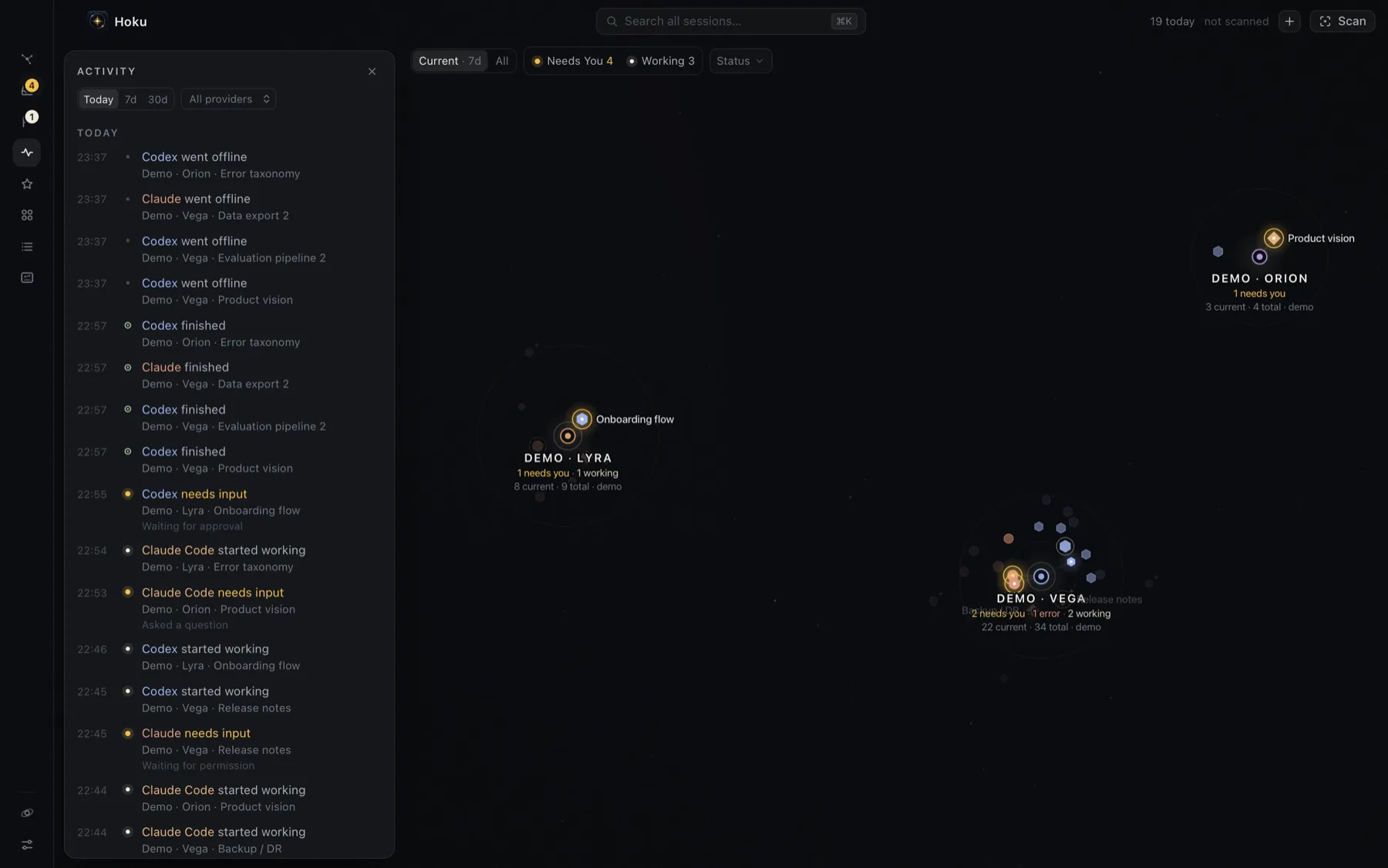
- Choose Today, 7d or 30d, and optionally one provider.
- Events are grouped by day, newest first. Needs-input and error events show the reason.
- Click a row to show the session on the map. Double-click to open it.
- Hover a row and click the flag to put that session in Follow up.
N finished in the top bar counts sessions that finished a turn since you last opened Activity. Opening Activity marks them seen, and they’re tagged new while the drawer is open. Finishing is news, not a task, so it’s never a badge.
What is recorded
Section titled “What is recorded”Hoku records changes of state, not what the session did:
| Event | When |
|---|---|
| started working | a turn began (or resumed, after waiting on you) |
| needs input | it started waiting on you |
| finished | it finished its turn (Ready) |
| hit an error | the turn failed |
| stopped | it went idle while working or waiting |
| opened | it came back from offline |
| went offline | its process ended |
| added | you added it by hand |
- Individual tool calls, prompts and output are never recorded.
- The same event for one session within 2 minutes is recorded once.
- Events are kept for 90 days.
- Events are recorded only while Hoku is running. What happened while Hoku was closed isn’t in the timeline, although each session’s last activity time still comes from the provider.
The same history feeds What changed in Resume and the counts in Recaps.