
Search with ⌘K
Press ⌘K anywhere, or click Search all sessions… in the top bar.
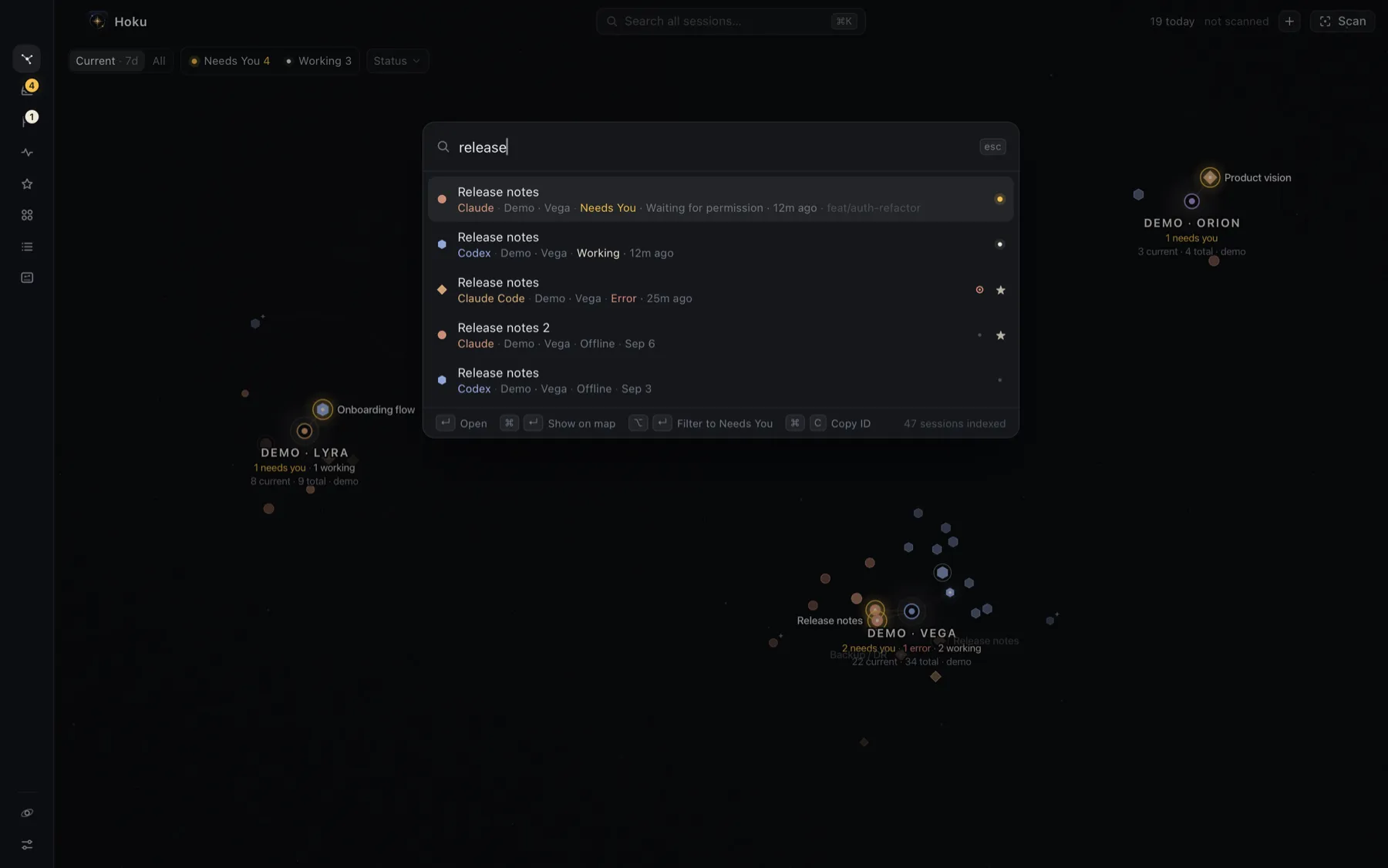
Search always covers every session Hoku has indexed, including sessions hidden from the Current map, filtered out, or in archived projects. It matches:
- session titles, project names and provider names
- your notes
- branches and folders
- account labels
- the first-prompt preview
- the state, so typing “needs you” or “working” finds sessions in that state
- “follow up”, for sessions on your list.
It also finds projects and actions, such as Scan for sessions, Show Recaps, Resume this project or Filter Galaxy: Needs You.
With nothing typed, it lists sessions that need you, are live, or were recent, then a few actions.
Keys in the palette
Section titled “Keys in the palette”| Key | On a session |
|---|---|
| ↵ | Open it: Go to terminal for Claude Code, or open it in its app |
| ⌘↵ | Show it on the map with its inspector, even if it’s hidden |
| ⌥↵ | Filter the Galaxy to that session’s state |
| ⌘P | Go to its project |
| ⌘D | Favorite or unfavorite it |
| ⌘F | Add it to Follow up, or mark it done |
| ⌘C | Copy its ID |
| ↑ ↓ (or CtrlP / CtrlN) | Move through results |
| Esc | Close |
On a project, ↵ zooms into it. An archived project opens its edit sheet, where you can restore it. On an action, ↵ runs it.